Software & DevOps
From an alert or a ticket to a reviewed pull request.Inside your pipeline, not around it.
Your monitoring, CI or support tool sends a webhook; AgentOS turns it into a request that specialist agents work through step by step — diagnosis, plan, fix, review, regression test. Your CI runs on the pull request as on any other, and a person merges.
- Webhook
- Signed with a secret you can rotate
- Replay window
- A repeated delivery creates nothing
- Creates
- Bug-Fix Workflow · 9 steps
- Variables
- bug_report · reported_by
- First step
- Diagnose root cause, read-only
How work arrives
Three ways in. One record.
However a piece of work starts, it lands as a request in AgentOS, with its steps, its sessions, its decisions and its cost in one place.
Trigger
A signed webhook from any tool that can send one — an alert, a failed pipeline, a support ticket. Each delivery becomes exactly one request; the payload fills the template’s variables.
- Secret rotation
- Replay window
- Pause and Fire now
- Recent fires
Automation
A schedule in cron with a time zone, for the work nobody gets to: dependency updates, a sweep of flaky tests, a weekly report. A run never overlaps the one before it.
- Cron and time zone
- No overlapping runs
- Every run a session
Request
A person files it in the console, or a script does with the CLI: title, external reference, attachments, the agent or template, and whether it needs an approval.
- Console
- agentos task create
- External reference
One bug, step by step
Nine steps, three of them yours.
This is the Bug-Fix Workflow template as it ships with AgentOS. Each step is owned by one agent and writes a document the next step reads; where the template says so, the next step waits for a named person. Change the steps, the agents and the gates to match your process.
Understand
Read-only. Nothing changes until a person accepts the diagnosis.
- 01Diagnose root causeDiagnostic AgentApproval
Plan
A second agent reviews the plan before anyone writes code.
- 02Plan the fixPlan Agent
- 03Plan reviewPlan Reviewer
- 04Revise plan from reviewPlan AgentApproval
Build and prove
On a branch, in a throw-away container. Your CI runs on the pull request.
- 05Implement the fixPlan Executor
- 06AI reviewReview Coordinator
- 07Apply review fixesSenior Dev
- 08E2E regression testTest Agent
Release
The merge is a person’s. No agent is granted it.
- 09Review & mergeA person on your teamPerson
The pull request opens through the AgentOS GitHub App on a branch. Your branch protection and required checks stay exactly as they are.
For the platform team
Only the access you grant.A record of every step.
The questions a platform or security team asks first, answered by how AgentOS is built rather than by a policy document.
A throw-away container per session
Every session starts clean and is removed when it ends. Nothing an agent did lingers for the next one.
Secrets stay on the platform
Credentials never enter the container. Git access uses short-lived GitHub installation tokens, masked everywhere they appear.
A network policy per environment
A session reaches only the hosts its environment allows, through a proxy that records every denial as a session event.
Grants per agent
Each agent has its own tools, repositories and connections. A reviewer can read the code; it cannot push.
People at the gates
A step that needs approval cannot be closed by an agent. Merge and release stay with the people your process names.
Every step on the record
Sessions, tool calls, documents, decisions and cost, on the request they belong to.
Agents as code
Review an agent change like any other change.
Agents, skills, templates and their steps live in an .agentos folder next to your code. The CLI pulls the server’s version, shows how far apart you are and pushes yours — so a new grant or a changed prompt goes through a pull request, with a reviewer and a history.
- The same files the console edits: what you push is what runs
- One file per agent, named by its slug
- Projects, environments, credentials and runners stay in the console
.agentos/
├── agents/            senior-dev.yaml, plan-agent.yaml …
├── skills/            verify-live.md, verify-live/scripts/…
├── template-tasks/    investigate-root-cause.yaml …
├── templates/         bug-fix-workflow.yaml
└── config.json which server and project (commit this)$ agentos pull
$ vi .agentos/agents/senior-dev.yaml
$ agentos status
$ agentos diff
$ agentos pushslug: review-and-merge
title: Review & Merge
agent: human
requires_approval: true
prompt: |
Review the fix PR and
merge it. Mark this task
done when merged.Cost and visibility
Every run, with what it cost.
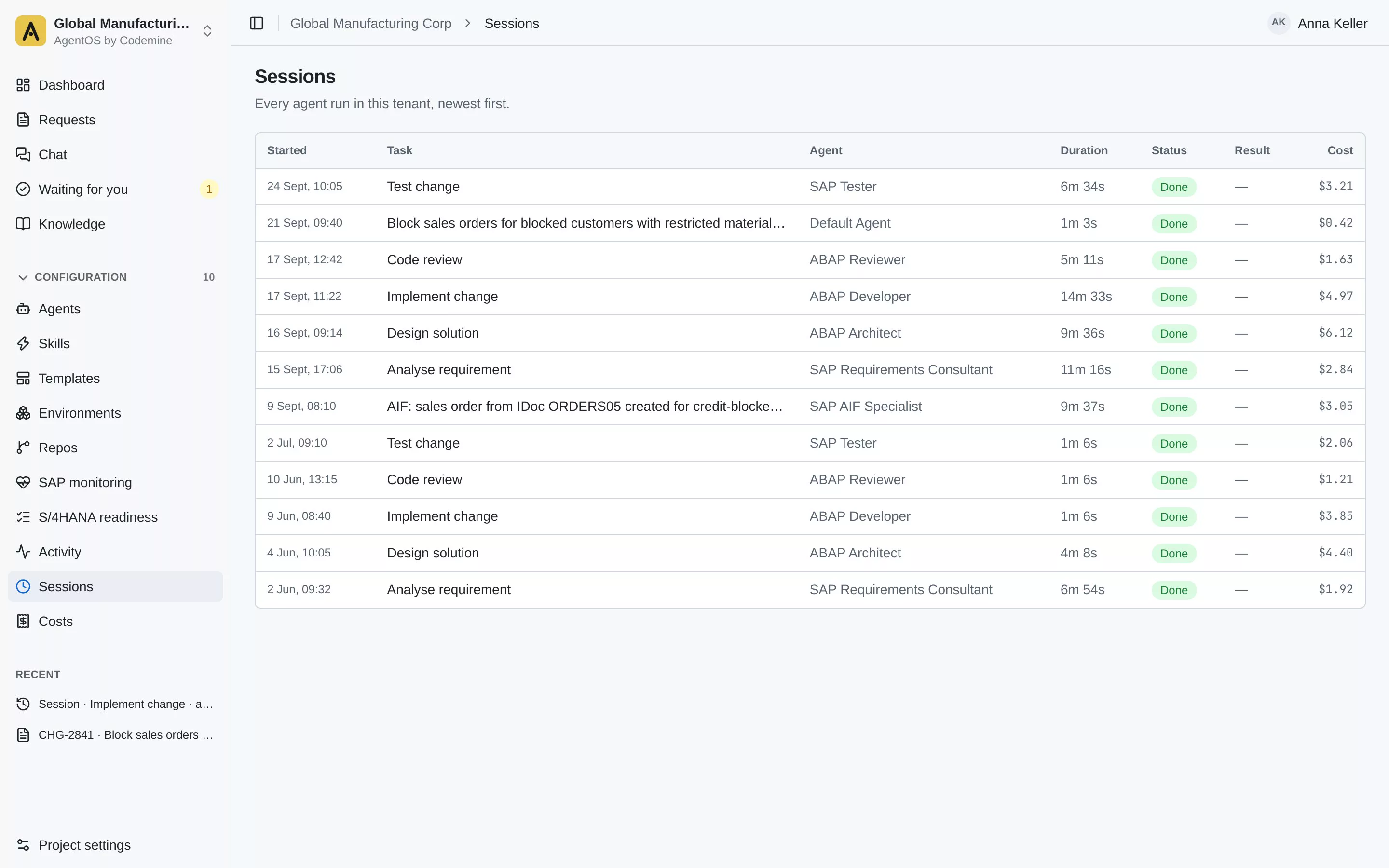
Each session records its agent, model, duration, tokens, tool calls and cost, on the request it belongs to. You see what a bug fix cost before you decide which work to hand to agents next.
Pilot
On your repositories, with your CI.
A pilot runs on real work from your own backlog, so you judge AgentOS on pull requests your team would have written anyway.
- Install
- AgentOS in your environment, one repository connected through the GitHub App, one trigger from your alerting or ticketing.
- Work
- Agents take agreed items from your backlog; your team reviews every pull request as it would a colleague’s.
- Review
- Together with your team: lead time, cost per item, quality, audit trail.
Hand agents the work nobody gets to.Keep the merge.
See a bug go from an alert to a reviewed pull request — with your rules, your CI and a person at every gate that matters.
Software & DevOps